07 Workflow Checklist
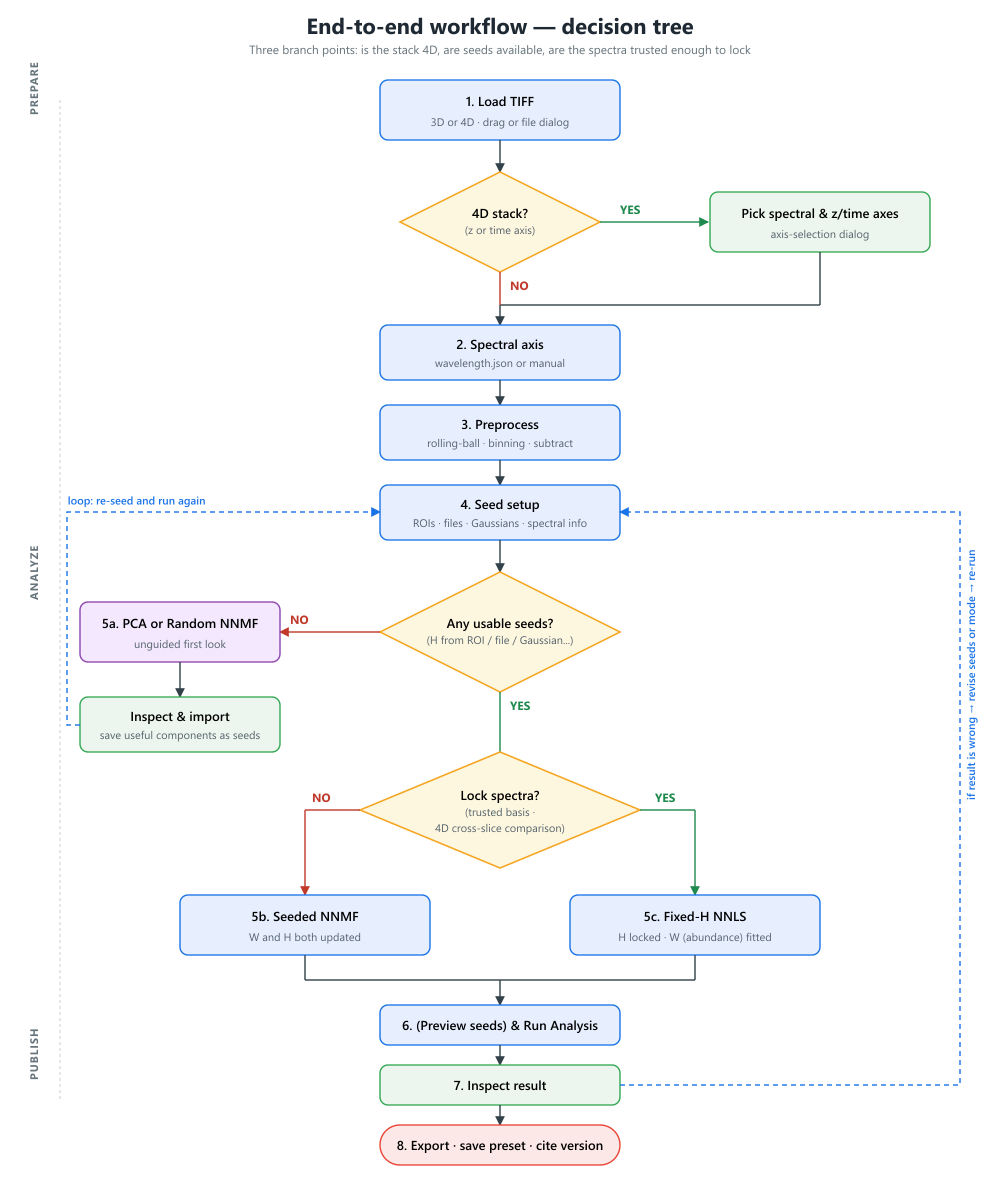
This checklist is an extra page for avoiding common mistakes before running or publishing an analysis.
Before Loading
- Confirm the TIFF dimensionality.
- Confirm expected axis order.
- Keep
wavelength.jsonin the same folder as the TIFF if automatic spectral metadata should be loaded. - Decide whether rolling-ball correction should be applied.
- Decide whether binning should be used.
After Loading
- Check image shape.
- Check channel count.
- For 4D data, verify the selected spectral and z/time axes.
- Check the spectral axis length against the number of channels.
- Check physical pixel size and unit.
- Inspect the average image and several individual channels.
Before Analysis
- Set the correct number of components.
- Check ROI component assignments.
- Check loaded external spectra.
- Check Gaussian seed rows.
- Check fixed W/background seeds in the ROI manager.
- Preview seeds before running NNMF or fixed-H NNLS.
- For fixed-H NNLS, confirm that every component has a valid final H seed. If any seed was residual-filled, inspect it before trusting the result.
After Analysis
- Check if the iteration converged (via iteration count and/or final error).
- Inspect the composite image.
- Inspect each individual W map.
- Compare final H spectra with seed spectra.
- Check labels and colors.
- Check histogram ranges.
- For 4D results, browse several z/time slices.
Before Export
- Confirm physical units.
- Confirm component labels.
- Confirm LUTs and display ranges.
- Save a preset.
- Export H spectra as CSV if needed.
- Export Fiji/ImageJ-compatible TIFF.
- Save or record the software version and preset used.
Common Interpretation Warnings
- A visually clean component is not automatically chemically correct.
- Fixed-H NNLS is only as good as the supplied spectra.
- Seeded NNMF can adapt spectra away from the initial seeds.
- Component labels should be assigned after checking both W maps and H spectra.
- If a dataset changes shape or channel number, old presets and custom axes may need adjustment.