03a Loading Custom Seed Spectra
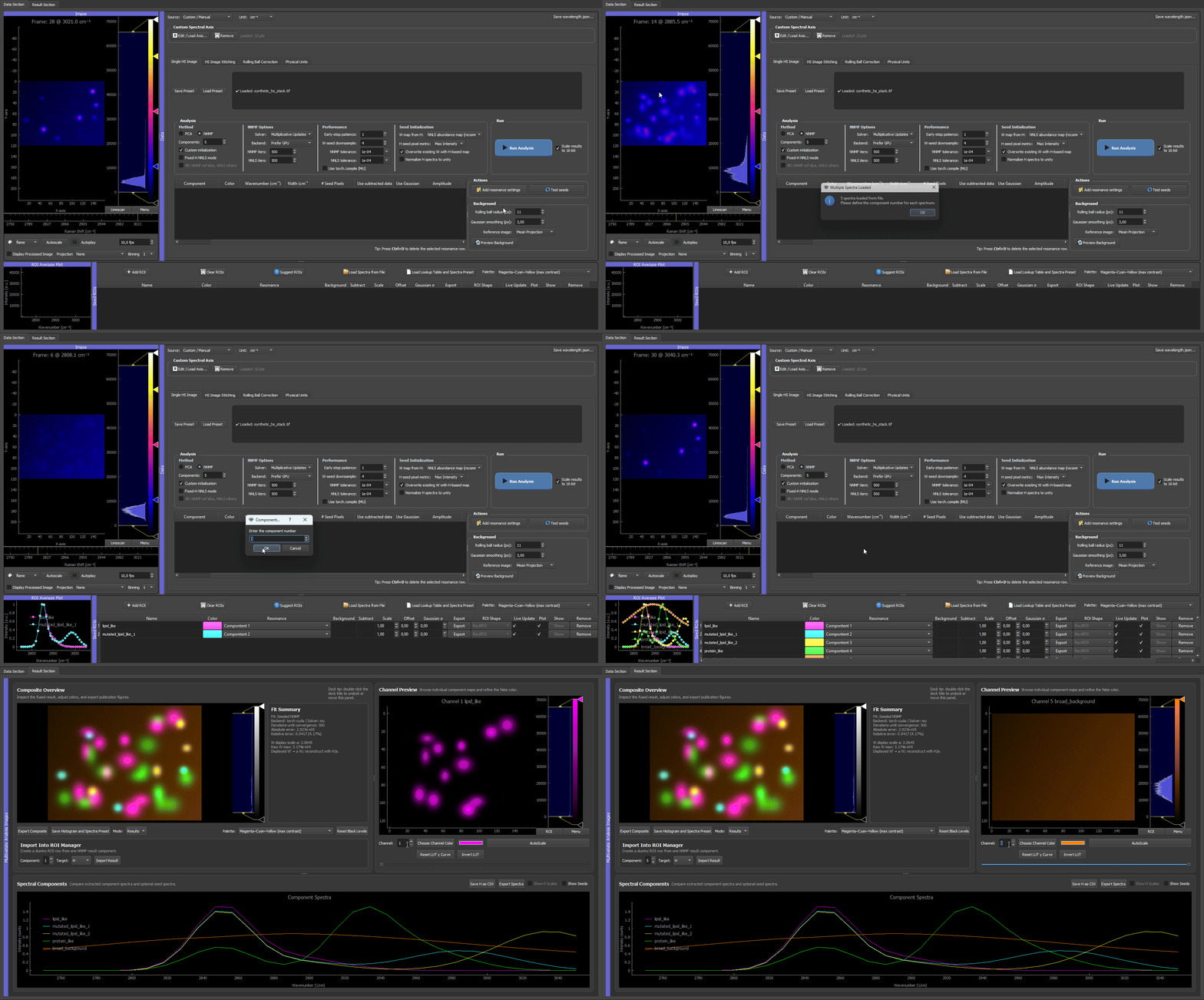
External spectra can be loaded into the ROI manager and used as H seeds. This is useful when spectra were measured with a spectrometer or obtained from a reference measurement.
Supported Use Case
Use external spectra when:
- the expected component spectrum is known before image analysis,
- spectra should be reused across datasets,
- fixed-H NNLS should be run with known spectral signatures,
- spectral priors should be independent of local ROI selection.
Loading A Spectrum File
Use Load Spectrum from File in the ROI manager.
The spectrum loader can read common text-based spectrum formats such as:
- CSV,
- TXT,
- ASC.
After loading, assign each loaded spectrum to the desired component number.
Example CSV Format
For CSV files, the first column is the spectral x-axis. All following columns are spectra. The first row is used as the header, and spectrum column names are used as seed names.
wavenumber,lipid,protein,background
2800,0.02,0.01,0.10
2850,1.00,0.20,0.12
2900,0.45,0.80,0.14
2950,0.20,1.00,0.16
3000,0.05,0.30,0.18
For wavelength-resolved data, the first column can be wavelength values instead:
wavelength_nm,Dye A,Dye B
500,0.90,0.05
550,0.45,0.20
600,0.10,0.85
650,0.02,1.00
The loader treats the first column as numeric spectral positions and resamples the spectra onto the currently active image spectral axis. Therefore, the unit and ordering must match the image axis even if the first-column header uses a different text label.
Example TXT / ASC Format
TXT and ASC files are interpreted as one spectrum with two whitespace-separated columns:
2800 0.02
2850 1.00
2900 0.45
2950 0.20
3000 0.05
The filename is used as the spectrum name.
Leading header or comment lines are ignored as long as the actual spectrum rows contain two numeric columns.
What Appears In The ROI Table
Loaded spectra are stored as dummy ROI rows. They behave like seed rows but do not have a drawn ROI rectangle on the image.
These rows can be:
- named,
- assigned to components,
- plotted as spectra,
- saved in presets,
- reused on another field of view.
Matching The Spectral Axis
The loaded spectrum is not used in its original file sampling. The GUI prepares the imported spectrum against the current image spectral axis and the prepared version is what seeded NNMF or fixed-H NNLS actually sees.
That means:
- the spectral unit must match the image axis,
- the spectral direction/order must match,
- only the resampled spectrum on the current image axis is used for analysis.
Before loading external spectra, check that the image spectral axis is correct.
For CRS/CARS/SRS data, check the Raman axis in cm^-1.
For wavelength-resolved data, check the wavelength axis in nm.
For fluorescence channels, check that custom labels or indices match the order of the image channels.
If the image wavenumbers are changed later, imported external spectra are re-prepared to the new target axis. Even so, the recommended workflow is still to confirm the spectral axis first and then import the external spectra so the plotted dummy ROI rows already match what you expect.
Recommended Workflow
- Load the image stack.
- Confirm the spectral axis, units, and channel order.
- Load external spectra.
- Assign spectra to components.
- Preview seeds.
- Run fixed-H NNLS or seeded NNMF.
- Save the preset.
For fixed-H NNLS, every component needs a valid final H seed. Missing components can be filled from the residual of the already seeded components, but external or ROI-derived spectra are preferable when exact fixed references are needed.